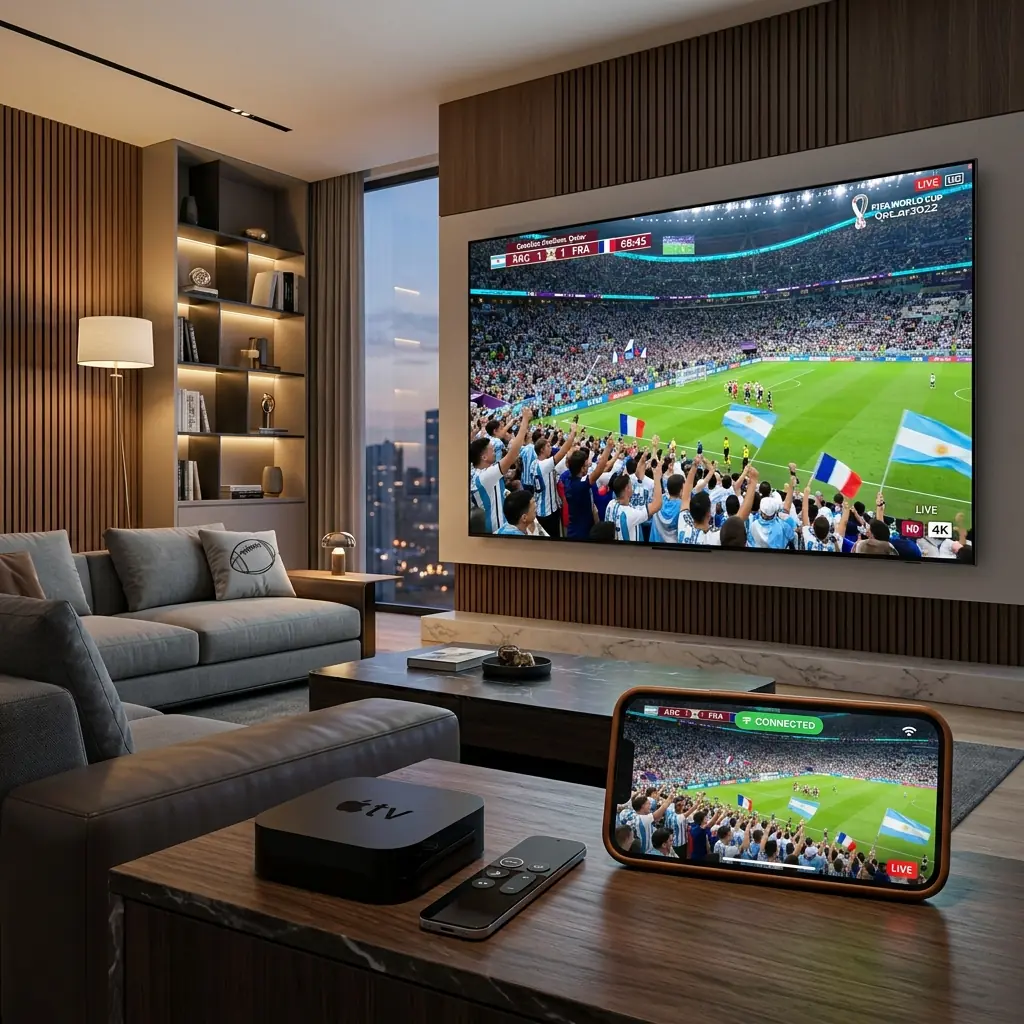
Welcome to 2026, where the cord-cutting revolution has officially completely matured. The days of paying exorbitant prices for locked-in, restrictive cable contracts are entirely behind us. Millions of viewers around the globe have transitioned to the freedom, immense variety, and superior quality offered by premium Internet Protocol Television (IPTV). However, while selecting the right provider is absolutely crucial, the hardware you choose to stream that content on is equally—if not more—important. Your streaming box is the engine that drives your entire entertainment experience.
When it comes to the absolute best devices on the market for handling heavy, complex IPTV workloads, two undisputed heavyweight champions constantly dominate the conversation: the Amazon Firestick 4K Max and the legendary Nvidia Shield TV Pro. Both devices have incredibly passionate fanbases, and both offer spectacular 4K HDR performance. But underneath their sleek exteriors, they are fundamentally different machines designed for very different types of users.
If you are standing at the crossroads, wondering which device to invest your hard-earned money in for your 2026 home theater setup, you have come to the right place. In this incredibly comprehensive, exhaustive, and brutally honest guide, we are going to tear down both devices. We will deeply analyze their raw processing power, scrutinize their network connectivity capabilities, evaluate how they handle massive 100,000+ channel M3U playlists, and ultimately help you decide which one will deliver the flawless, buffer-free streaming experience you deserve.
For the ultimate 4K buffer-free experience on either device, we highly recommend pairing it with a premium provider like ottocean.
Hardware Comparison: Raw Power vs Compact Efficiency
The foundation of any great streaming device is its internal hardware architecture. When streaming live sports or highly compressed 4K VOD files, your device's CPU and RAM are working furiously in the background to decode data packets, render the user interface, and process complex Electronic Program Guides (EPGs). If your hardware is weak, you get lag, stuttering, and app crashes.
CPU & RAM: The Processing Powerhouse
Let’s start with the Nvidia Shield Pro. Despite its core architecture dating back several years, the Tegra X1+ processor inside the Shield remains an absolute monster in the streaming world. Nvidia, a company famous for building some of the most powerful gaming graphics cards on the planet, engineered this chip to handle intense workloads effortlessly. Paired with a robust 3GB of RAM, the Shield Pro is the definition of overkill—in the best way possible. When you launch a heavy IPTV application, the Shield laughs at the computational demand. Navigating through endless categories of live TV, rapidly switching channels, and scrolling through a densely populated TV guide feels remarkably fluid, instantaneous, and premium.
On the other side of the ring, the Amazon Firestick 4K Max (2nd Gen, released late 2023/early 2024 and still highly relevant in 2026) utilizes an upgraded Quad-core 2.0 GHz processor. This is a very capable, highly efficient chip designed specifically for streaming video. It is significantly faster than the standard Firestick 4K and previous generations. It features 2GB of RAM, which is generally sufficient for most modern Android applications. While it doesn't possess the brute-force processing headroom of the Shield Pro, the Firestick 4K Max is incredibly snappy and responsive for its incredibly compact size and low price point.
The Verdict on Power: The Nvidia Shield Pro wins the raw performance category handily. If you absolutely despise even a microsecond of UI lag, the Shield is the only choice. However, the Firestick 4K Max is more than powerful enough for the vast majority of casual to moderate users.
Storage Capacity: Apps and Sideloading Space
Storage space is a critical, often overlooked factor when choosing an IPTV box. You aren't just installing Netflix; you are sideloading multiple third-party players like Tivimate, Smarters Pro, VPN applications, maintenance tools, and perhaps even downloading movies or caching massive EPG data locally.
The Nvidia Shield Pro comes equipped with 16GB of internal storage. While 16GB isn't massive by smartphone standards, it is plenty for a highly optimized Android TV environment. Furthermore, the Shield Pro features two full-sized USB 3.0 ports on the rear. This is a massive advantage. You can instantly plug in a 1TB external SSD or a high-capacity flash drive and configure it as internal device storage. This allows you to legally record live IPTV streams directly to a hard drive—a feature power users absolutely adore.
The Firestick 4K Max has significantly improved its storage, finally stepping up to 16GB in its latest iteration (compared to the abysmal 8GB of older models). This is a breath of fresh air and allows you to install plenty of essential streaming apps without constantly seeing "Storage Full" warnings. However, expanding storage on a Firestick requires purchasing an OTG (On-The-Go) adapter cable and a compatible USB drive. It works, but it’s a clunky, dangling workaround compared to the Shield’s native, clean USB ports.
Network Connectivity: Wi-Fi 6E vs Gigabit Ethernet
The most powerful processor in the world is completely useless if your device cannot securely and rapidly pull data from the internet. Network connectivity is the absolute lifeblood of IPTV.
The Firestick 4K Max boasts a massive technological advantage in wireless connectivity: Wi-Fi 6E support. Wi-Fi 6E is a monumental leap forward in wireless technology. It utilizes the newly opened 6GHz band, which is significantly wider and far less congested than the traditional 2.4GHz and 5GHz bands. If you live in a dense apartment building where everyone’s Wi-Fi router is fighting for airspace and causing interference, Wi-Fi 6E allows the Firestick 4K Max to slice through the noise and establish a hyper-fast, incredibly stable connection to a compatible Wi-Fi 6E router. For users who absolutely cannot run an Ethernet cable to their TV, the Firestick 4K Max offers the best wireless streaming performance available today.
The Nvidia Shield Pro, surprisingly, only supports Wi-Fi 5 (802.11ac). However, it completely negates this theoretical disadvantage by offering a built-in Gigabit Ethernet port. For hardcore streaming enthusiasts and those demanding absolute perfection during a live 4K Champions League final, hardwiring your device directly to your router is an uncompromising rule. Ethernet eliminates all wireless interference, packet loss, and ping spikes. While you can buy an Ethernet adapter for the Firestick, the Shield Pro has it built directly into the chassis, supporting speeds up to 1000 Mbps.
The Verdict on Networking: If you must use Wi-Fi, the Firestick 4K Max wins thanks to Wi-Fi 6E. If you are serious about stability and plan to use an Ethernet cable, the Shield Pro’s native Gigabit port is vastly superior to a USB adapter workaround.
The IPTV Experience: Handling Heavy M3U Playlists and EPGs
This is where the rubber meets the road. How do these devices actually handle the demanding task of processing IPTV?
A premium IPTV subscription often comes in the form of an M3U playlist file containing tens of thousands of live channels, thousands of movies, and countless TV series. Accompanying this is the EPG (Electronic Program Guide) XML data, which dictates what is currently playing on every single channel. Parsing, loading, and constantly updating this massive database of text and imagery requires serious computational lifting.
EPG Loading Times and Channel Switching
When you boot up a heavy, feature-rich app like Tivimate Premium (arguably the best IPTV player on Android), the Nvidia Shield Pro flexes its muscles. It digests massive 100,000+ line playlists in seconds. Scrolling through the guide is astonishingly fast, with channel logos popping in instantly. Channel switching (zapping time) is incredibly quick, limited only by the server speed of your provider, never the hardware of the Shield.
The Firestick 4K Max handles Tivimate and Smarters Pro very well, but you will notice a slight, almost imperceptible difference compared to the Shield. Initial playlist loading might take a few seconds longer. If you have an exceptionally bloated M3U file, you might occasionally experience a micro-stutter when rapidly scrolling through the EPG as the 2GB of RAM attempts to cache thousands of channel logos simultaneously. It is still a fantastic experience, but the Shield is undeniably smoother under extreme pressure.
If you want to know how to set up other top-tier devices, check out our Apple TV 4K IPTV guide.
4K Live Streaming Without Buffering
Both devices are fully capable of decoding high-bitrate 4K HEVC (H.265) streams flawlessly. The hardware decoding capabilities on both the Tegra X1+ and the newer MediaTek chip in the Firestick are spectacular. If you experience buffering while watching a 4K sports broadcast on either of these devices, the problem is almost certainly not the hardware. The issue is either your internet connection, ISP throttling, or a poor-quality, overloaded provider. That is why we emphasize using top-tier services to feed these devices.
Advanced Features: AI Upscaling vs Portability
Nvidia Shield's Secret Weapon: AI Upscaling
Here is where the Nvidia Shield Pro justifies its premium price tag: AI-Enhanced Upscaling. The reality of modern IPTV is that not every single channel broadcasts in native 4K. Many sports channels, regional broadcasts, and older VOD movies are streamed in 720p or 1080p. When you stretch a highly compressed 720p football match across a massive 65-inch or 77-inch 4K OLED TV, it usually looks blurry, soft, and washed out.
The Nvidia Shield Pro uses a deeply trained artificial intelligence neural network to analyze standard HD video frame-by-frame in real-time. It intelligently predicts and injects missing pixels, dramatically sharpening edges, enhancing textures, and clarifying details. The result is astonishing. A mediocre 1080p sports stream processed through the Shield's AI upscaler looks remarkably close to native 4K. You can see the individual blades of grass on the pitch and read the small sponsor logos on the players' kits clearly. The Firestick 4K Max has standard upscaling, but it pales in comparison to Nvidia's AI magic.
Portability and Form Factor
The Firestick 4K Max is a tiny dongle that hides completely behind your television. It is the ultimate travel companion. You can toss it in your backpack, plug it into a hotel TV, connect to the hotel Wi-Fi (or your phone's hotspot), and instantly have access to your entire IPTV setup anywhere in the world. The Shield Pro is a set-top box. While sleek, it requires a dedicated power brick and space on a media console. It is not designed to be unplugged and carried in a pocket.
Sideloading IPTV Apps (Smarters Pro & Tivimate)
Since the best IPTV players are frequently removed from official app stores due to aggressive copyright claims by cable monopolies, the ability to easily sideload third-party APK files is mandatory.
Both devices operate on Android-based operating systems, making sideloading incredibly simple compared to locked-down ecosystems like Apple or Roku.
- Firestick 4K Max (Fire OS): Sideloading requires enabling "Apps from Unknown Sources" in the developer options (which Amazon has made slightly more hidden in recent updates, but still easily accessible). You then use the fantastic, free "Downloader" app to enter a shortcode and install apps like Smarters Pro in seconds.
- Nvidia Shield Pro (Android TV OS): The Shield runs a pure, unadulterated version of Android TV. It has direct access to the official Google Play Store, which often contains great IPTV apps natively. For apps that require sideloading, you can use Downloader, send files via cloud storage, or even push APKs directly from your smartphone over the local network using apps like 'Send Files to TV'. The Shield offers a vastly more open, developer-friendly environment.
Remote Controls: Functionality vs Simplicity
The remote control is your daily interface with the device, and both companies have taken different design approaches.
The Firestick Alexa Voice Remote is universally recognized. It is small, incredibly ergonomic, and features an intuitive layout. It includes power and volume buttons to control your TV and soundbar seamlessly. The Alexa voice integration is arguably the best in the business for searching generic content (though voice search rarely works within third-party sideloaded IPTV apps).
The Nvidia Shield Remote features a unique, triangular "Toblerone" shape. It is highly praised for several premium features: it possesses motion-activated backlit buttons (essential for dark home theaters), a dedicated customizable quick-action button (perfect for launching Tivimate instantly), and a built-in lost remote locator. If you misplace the remote in the couch cushions, you can trigger a loud beeping sound from the Shield box to find it.
| Feature | Nvidia Shield Pro | Amazon Firestick 4K Max |
|---|---|---|
| Processor | NVIDIA Tegra X1+ | Quad-core 2.0 GHz |
| RAM | 3 GB | 2 GB |
| Storage | 16 GB (Expandable via 2x USB 3.0) | 16 GB (Expandable via messy OTG cable) |
| Networking | Gigabit Ethernet + Wi-Fi 5 | Wi-Fi 6E (No native Ethernet) |
| Operating System | Android TV (Open, clean UI) | Fire OS (Heavily ad-supported UI) |
| Unique Advantage | Incredible AI Video Upscaling | Ultimate Portability & Low Cost |
| Price Estimate | $199.99 | $59.99 |
Price vs Value: Which Device is Right for You?
At approximately $60, the Amazon Firestick 4K Max offers absolutely outrageous value. It delivers 90% of the performance of a high-end box for a fraction of the price. If you are on a budget, outfitting a secondary bedroom TV, or need a device for travel, the Firestick 4K Max is an absolute no-brainer. It will run IPTV perfectly well for the vast majority of users.
At $200, the Nvidia Shield Pro is a serious investment. It is the Lamborghini of streaming devices. However, if you have heavily invested in a high-end 4K OLED TV and a premium Dolby Atmos surround sound system, bottlenecking that glorious hardware with a $60 streaming stick is a tragedy. The Shield Pro offers zero UI lag, the best video upscaling on the market, massive storage expansion, and native Ethernet for uncompromising live sports stability. For the hardcore home theater enthusiast, it is worth every single penny.
For more insights on optimizing your streams for massive events, read our Champions League streaming guide.
Frequently Asked Questions
Absolutely. Both devices are spectacular, but they cannot prevent your Internet Service Provider (ISP) from throttling your connection during big sports games. Using a high-quality VPN encrypts your traffic, bypassing ISP speed limits and ensuring maximum privacy while using third-party applications.
Yes, but it is vastly superior on the Nvidia Shield Pro. Because the Shield features full-sized USB 3.0 ports, you can easily connect a massive external hard drive and use apps like Tivimate to schedule and record hundreds of hours of live TV directly to the drive. Doing this on a Firestick requires complicated OTG adapters and is generally less stable.
While Tivimate runs brilliantly on both, the Nvidia Shield Pro provides the absolute best Tivimate experience in the world. The massive RAM allows for instantaneous loading of colossal EPG guides, and the AI upscaling makes lower-resolution channels look fantastic within the Tivimate player.
Ready for the Ultimate 4K Experience?
You have chosen the perfect hardware; now feed it with the absolute highest quality stream on the planet. Stop paying for buffering and empty promises. Experience over 15,000 live premium channels, breathtaking 4K sports, and a massive VOD library perfectly optimized for both the Firestick 4K Max and Nvidia Shield Pro.
Claim Your 24H Free Trial Now